Page Headers
Standardized title, description, and action button patterns for page headers.
Marketing hero
High-impact landing orchestration
Landing visibility
The primary conversion engine of the marketing site, utilizing complex typography gradients and high-fidelity dashboard previews.
Dark mode
Light mode
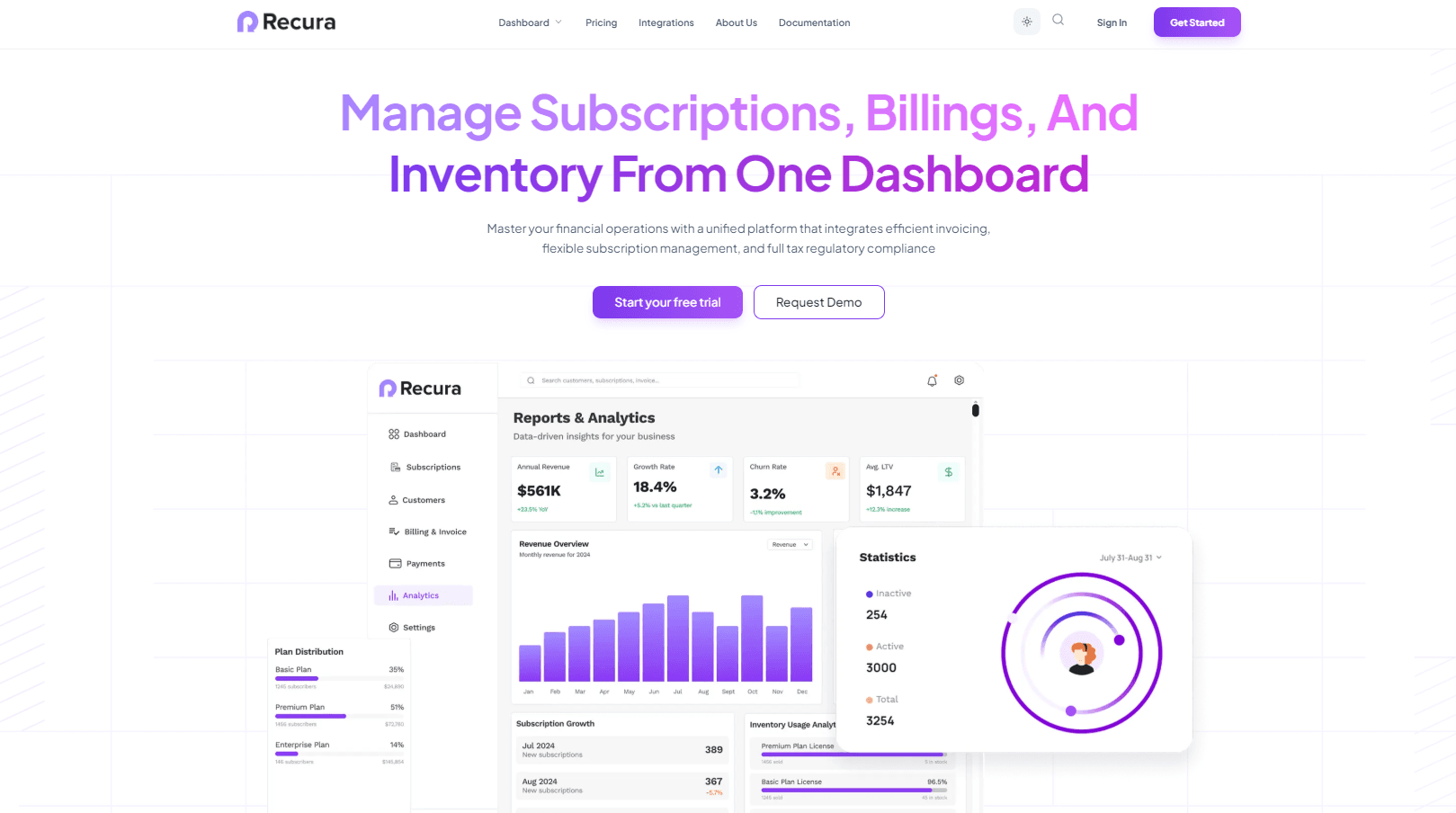
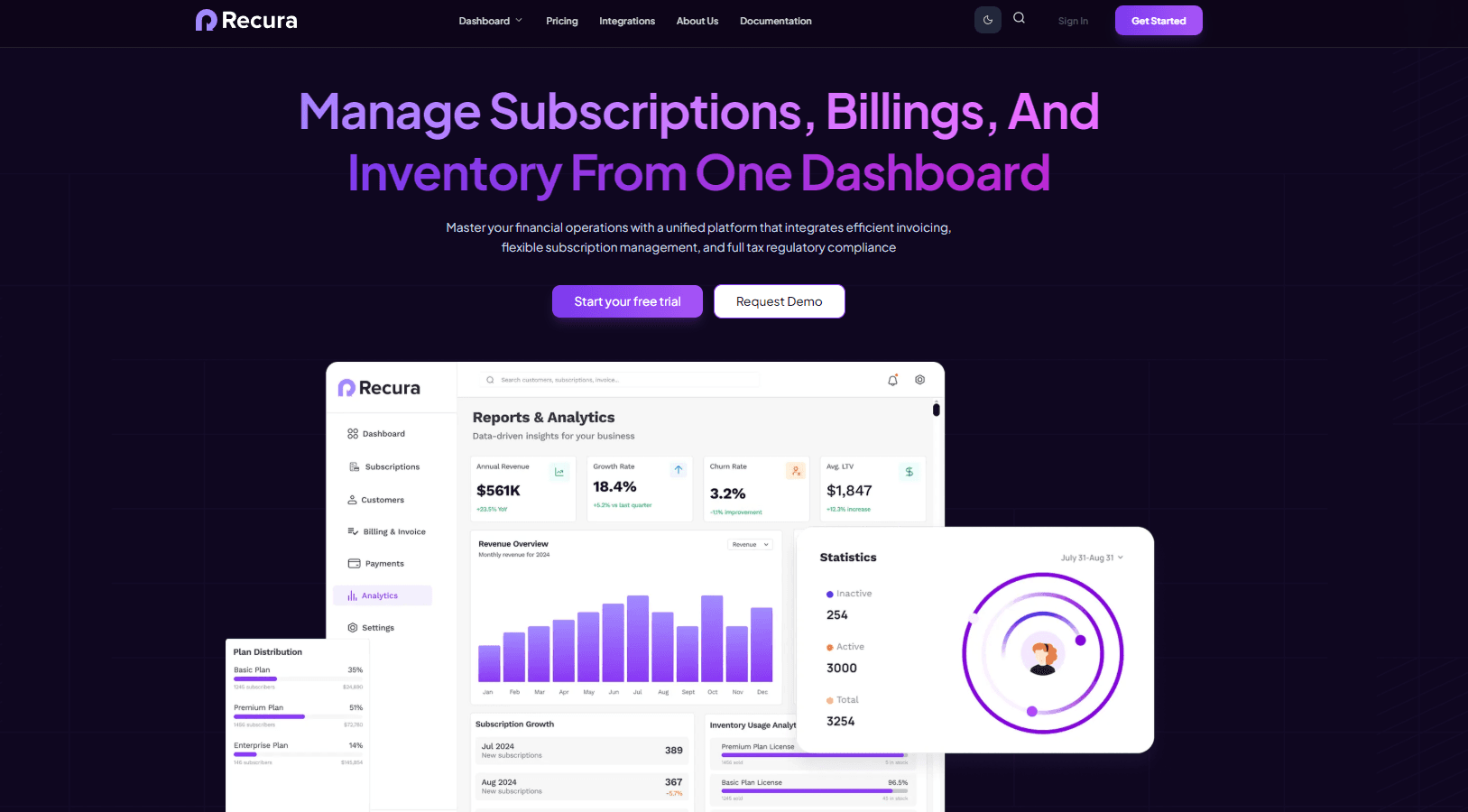
src/components/marketing/hero.tsx
export function Hero() {
  return (
    <section className="relative bg-white dark:bg-transparent pt-32 pb-20 overflow-hidden">
      {/* Background Pattern */}
      <div className="absolute inset-0 z-0">
        <Image src="https://res.cloudinary.com/weburea/image/upload/v1783571817/line_bg.png" fill className="object-cover opacity-80 dark:opacity-30" />
      </div>

      <div className="container relative z-10 mx-auto px-6 text-center">
        <h1 className="text-5xl md:text-7xl font-bold tracking-tight mb-6 leading-tight">
          <span className="text-gradient">Manage Subscriptions, Billings, And <br /></span>
          <span className="text-gradient-bold">Inventory From One Dashboard</span>
        </h1>

        <div className="flex flex-col sm:flex-row items-center justify-center gap-4 mb-16">
          <Button variant="brand" className="px-8 py-6 text-lg">Start your free trial</Button>
          <Button variant="outline-brand" className="px-8 py-6 text-lg">Request Demo</Button>
        </div>

        <div className="relative mx-auto mt-16 w-full max-w-[1400px]">
          <Image src="https://res.cloudinary.com/weburea/image/upload/v1783571764/hero-dashboard.png" width={1300} height={800} priority />
        </div>
      </div>
    </section>
  )
}
Status & Support header
Contextual help orchestration
Knowledge base visibility
A specialized header designed for rapid problem solving, featuring a prominent search engine and live fallback support options.
Help Dark
Help Light


src/components/dashboard/help/help-center.tsx
export function HelpCenterContent() {
  return (
    <div className="relative overflow-hidden bg-white dark:bg-[#150a2e] border border-slate-100 dark:border-white/10 rounded-3xl p-8 md:p-12 shadow-sm text-center">
      <div className="absolute top-0 right-0 w-96 h-96 bg-purple-50 rounded-full blur-3xl -z-10 translate-x-1/2 -translate-y-1/2 opacity-60" />

      <div className="max-w-2xl mx-auto space-y-6">
        <div className="inline-flex items-center gap-2 px-3 py-1.5 rounded-full bg-purple-50 border border-purple-100/50 mb-2">
          <span className="w-2 h-2 rounded-full bg-purple-500 animate-pulse" />
          <span className="text-xs font-bold text-purple-700 tracking-wide uppercase">Support Center</span>
        </div>

        <h1 className="text-3xl md:text-5xl font-extrabold text-slate-900 dark:text-white tracking-tight">
          How can we help you today?
        </h1>

        <div className="relative max-w-xl mx-auto mt-8">
          <Search className="absolute left-5 top-1/2 -translate-y-1/2 w-5 h-5 text-slate-400" />
          <input
            type="text"
            placeholder="Search for articles, guides, or questions..."
            className="w-full pl-14 pr-6 py-4 rounded-2xl border border-slate-200 dark:border-white/10 bg-white dark:bg-slate-800 transition-all font-medium text-slate-900 dark:text-white px-2 shadow-xl shadow-slate-200/20 dark:shadow-none text-base"
          />
          <button className="absolute right-3 top-1/2 -translate-y-1/2 px-5 py-2 bg-purple-600 hover:bg-purple-700 text-white rounded-xl text-sm font-bold transition-colors shadow-sm">
            Search
          </button>
        </div>
      </div>
    </div>
  )
}
Design guidelines
Visual Hierarchy
Landing pages must prioritize the hero headline with bold tracking and gradients. Dashboard headers must maintain high data density while using standard system colors.
Contextual Interaction
Headers in support modules must feature an active search state. Dashboard modules should focus on primary action triggers like 'Create' or 'Export'.